Electromix Free General Setup
In this article, you’ll learn how to set up and customize the general components of the Electromix Free theme, such as the Top Scroller, Sidebar and Page Breadcrumb . This guide will help you configure these settings to align with your site’s branding and functionality needs.
(1) How to manage the Top Scoller in General ?
Before proceeding, ensure you're logged into your WordPress Dashboard.
To manage the Top Scoller in General, follow these steps:
- From the WordPress Dashboard, navigate to Appearance > Customize.
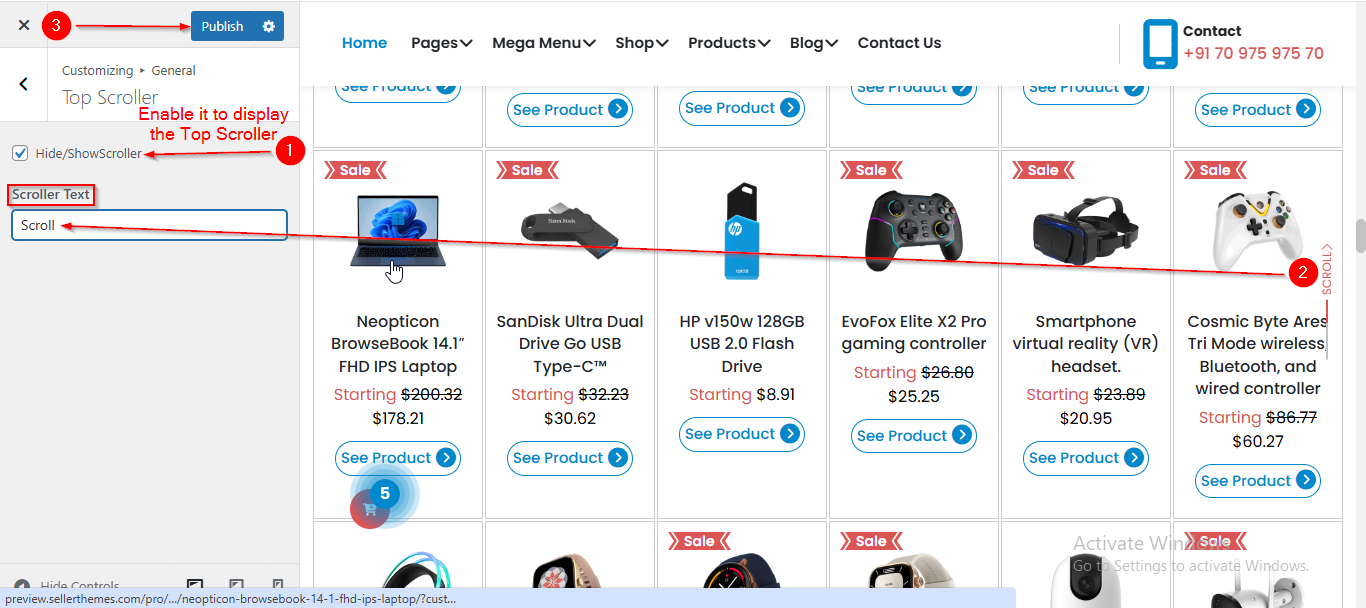
- On the Customizer page, go to General > Top Scroller.
- Here, you can manage the Top Scroller by enabling or disabling the Checkbox.
- Click Publish when you’re done.
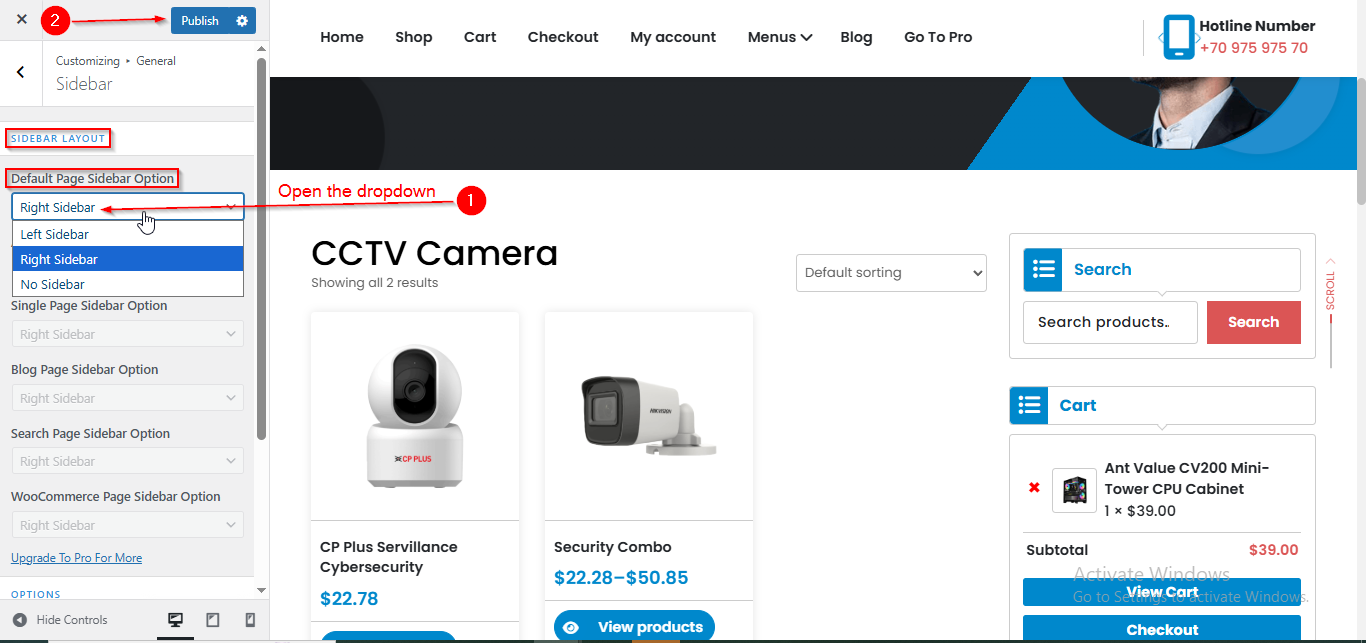
(2) How to manage the Sidebar in General ?
Before proceeding, ensure you're logged into your WordPress Dashboard.
To manage the Sidebar in General, follow these steps:
- From the WordPress Dashboard, navigate to Appearance > Customize.
- On the Customizer page, go to General > Sidebar.
- Open the Default Page Sidebar Option dropdown to choose type of Sidebar.
- Click Publish when you’re done.
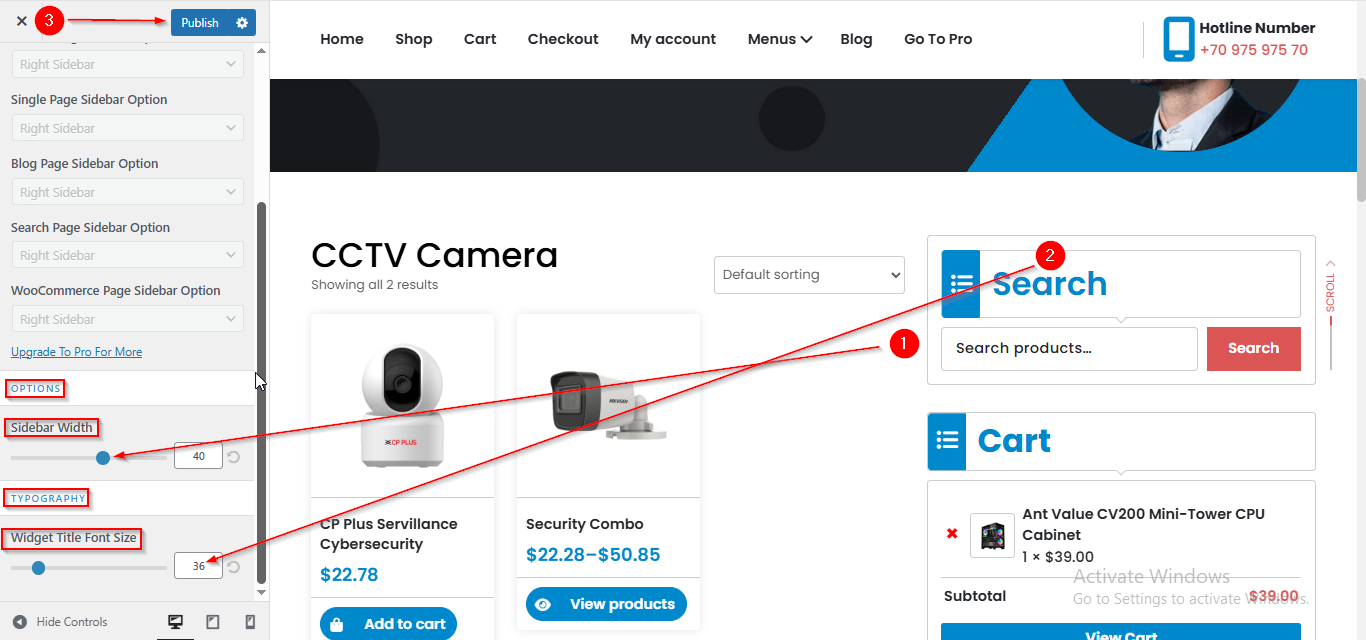
(3) How to manage the Sidebar Widget width and font size in General ?
Before proceeding, ensure you're logged into your WordPress Dashboard.
To manage the Sidebar Widget font size and width in General, follow these steps:
- From the WordPress Dashboard, navigate to Appearance > Customize.
- On the Customizer page, go to General > Sidebar.
- Scroll down until you see the OPTIONS and TYPOGRAPHY section.
- Here you can manage the Sidebar Width and font size.
- Click Publish when you’re done.
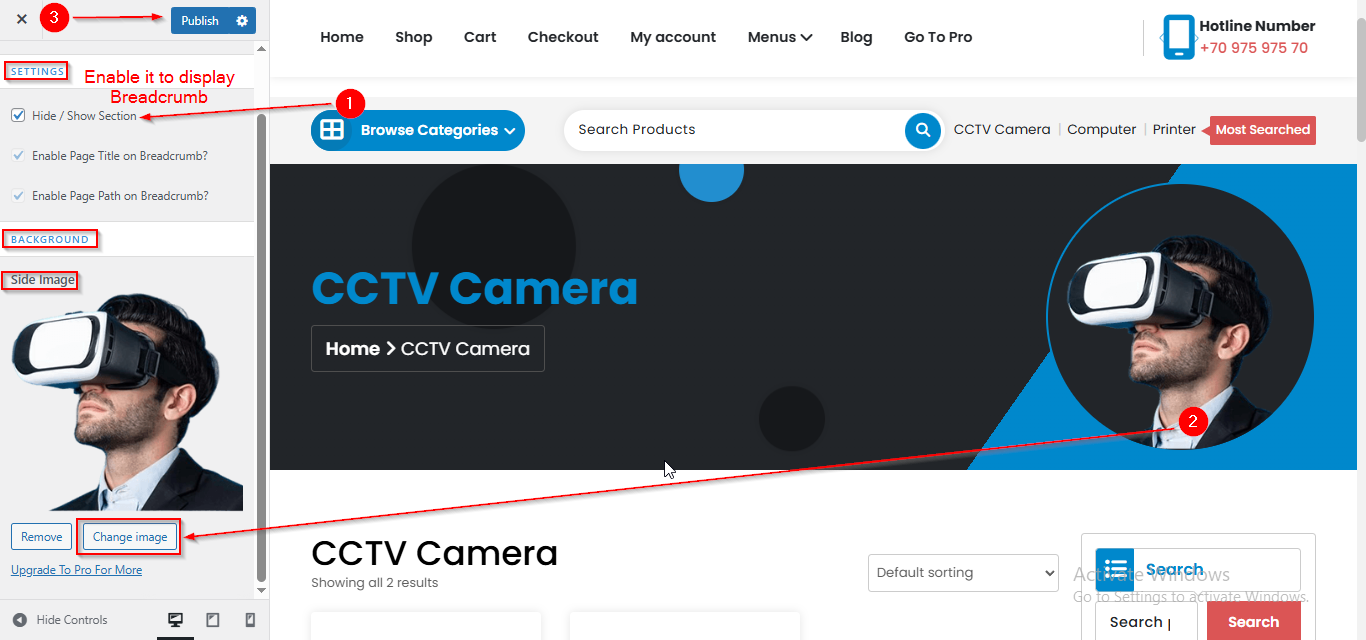
(4) How to manage the Page Breadcrumb in General ?
Before proceeding, ensure you're logged into your WordPress Dashboard.
To manage the Page Breadcrumb in General, follow these steps:
- From the WordPress Dashboard, navigate to Appearance > Customize.
- On the Customizer page, go to General > Page Breadcrumb.
- Here, you can manage all the related settings for the Breadcrumb Section.
- Click Publish when you’re done.