Electromix Pro Categorized Product Two Setup
In this article, you’ll learn how to set up and customize the Categorized Product Section Two of the Electromix Pro theme, This guide will help you configure these settings to align with your site’s branding and functionality needs.
Before you proceed, please make sure you have created Products in the WordPress Dashboard , otherwise, they will not be displayed in this Section , To know how to create the products, please go through this article.: https://sellerthemes.ticksy.com/article/20663/
(1) How to manage the Product Content in Categorized Product Section Two ?
Before proceeding, ensure you're logged into your WordPress Dashboard.
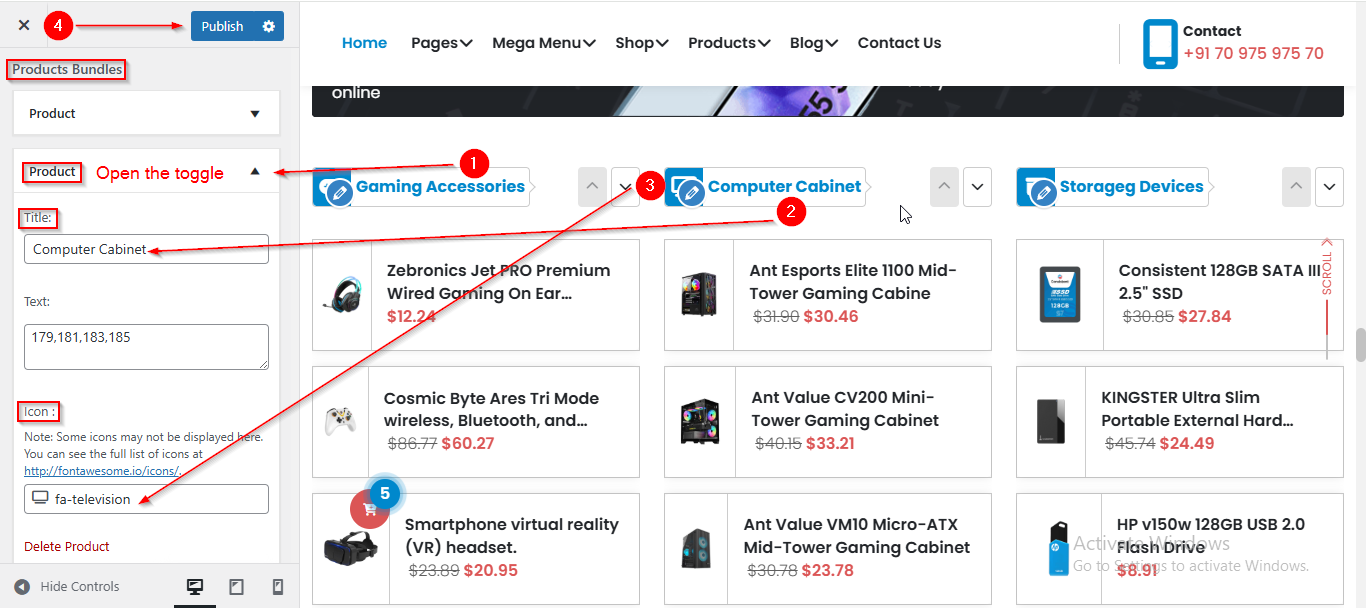
To manage the Product Content in Categorized Product Section Two, follow these steps:
- From the WordPress Dashboard, navigate to Appearance > Customize.
- On the Customizer page, go to Frontpage Sections > Categorized Product Section Two.
- Here, open the Product toggle to manage Product content such as Title and Icon.
- Click Publish when you're done.
(2) How to manage the Column in Categorized Product Two Section ?
Before proceeding, ensure you're logged into your WordPress Dashboard.
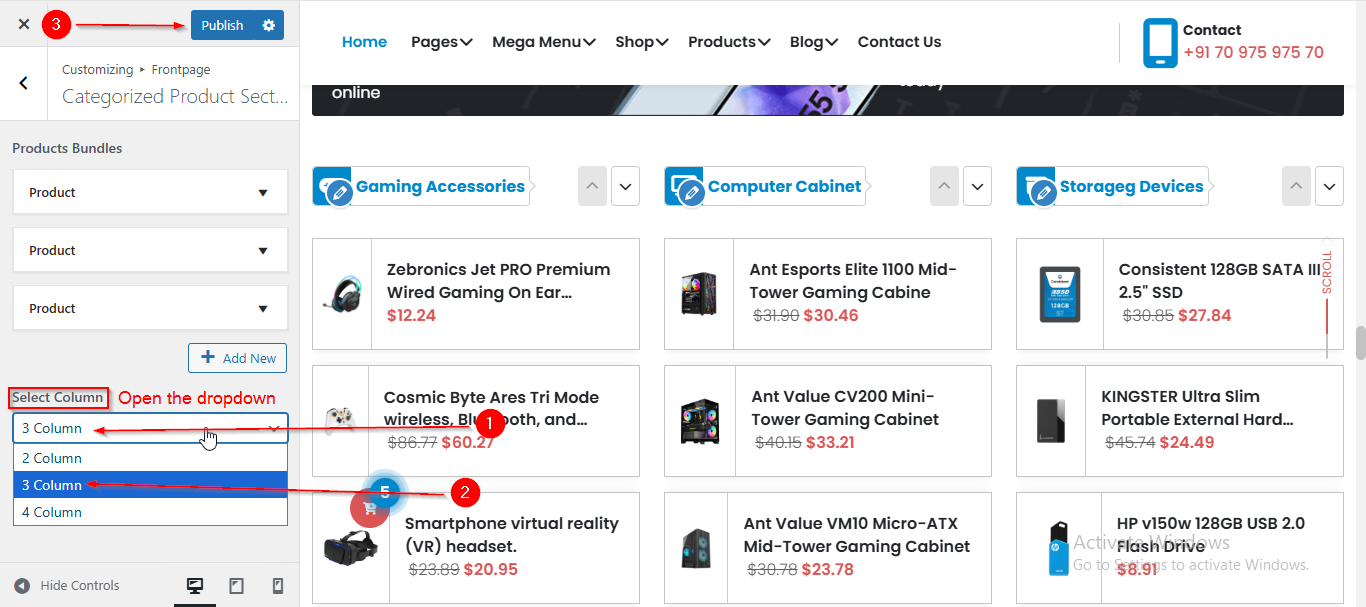
To manage the Column in Categorized Product Section Two , follow these steps:
- From the WordPress Dashboard, navigate to Appearance > Customize.
- On the Customizer page, go to Frontpage Sections > Categorized Product Section Two.
- From the Select Column, option you can adjust the number of Product Columns.
- Click Publish when you're done.