
Mega Mart Lite Widget Setup
In this article, you’ll learn how to set up and customize the Widget of the Mega Mart Lite theme, This guide will help you configure these settings to align with your site’s branding and functionality needs.
(1) How to manage the Widgets from Dashboard ?"
Before proceeding, ensure you're logged into your WordPress Dashboard.
To manage the widgets, follow these steps:
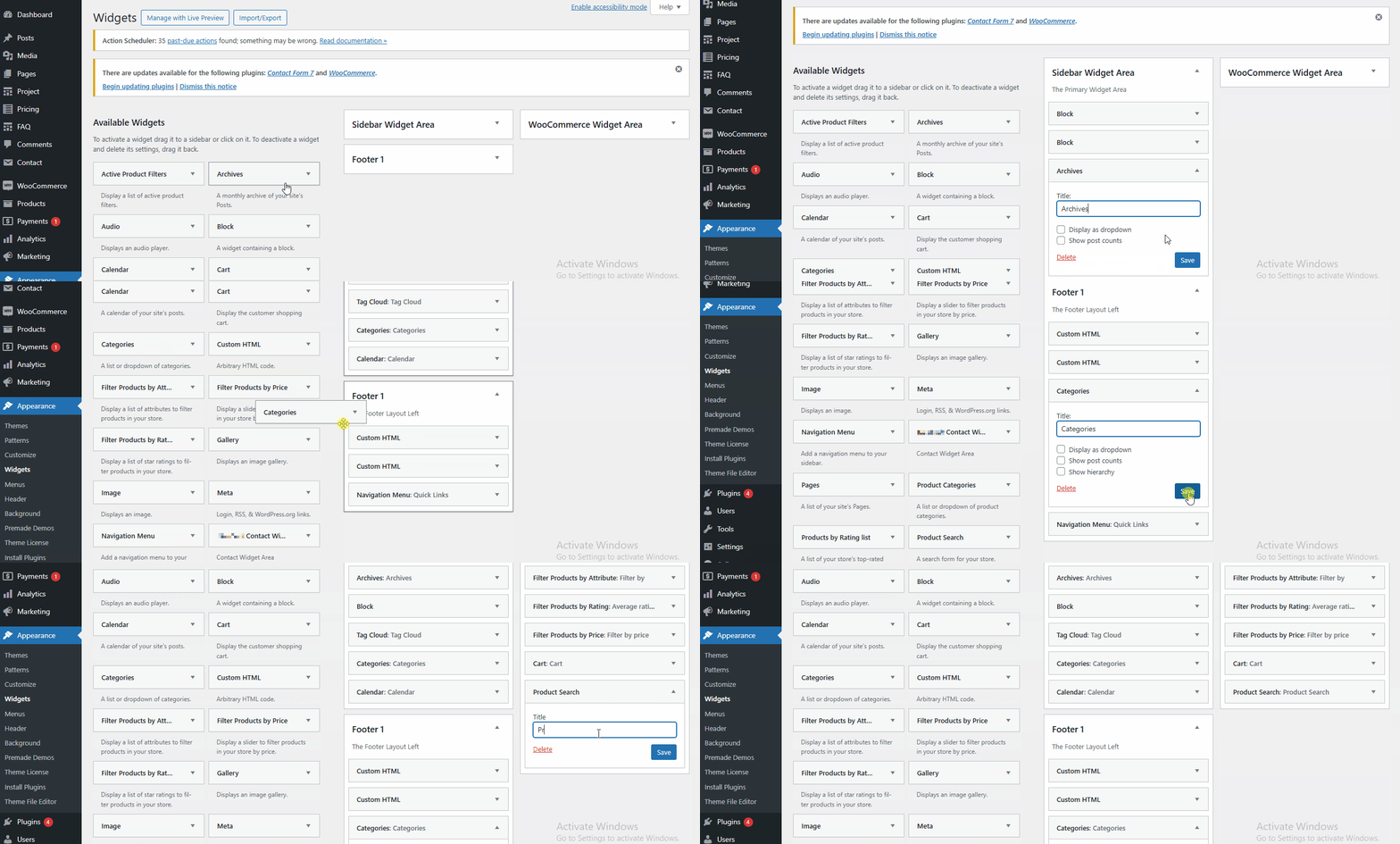
- From the WordPress Dashboard, navigate to Appearance > Widgets.
- On the Widgets pages ,you can add widgets by simply dragging and dropping them into various areas such as the Header Widget Areas, Sidebar Widget Area ,Footer 1 & others.
- Once you have added your desired widgets to the appropriate areas, click Save to apply the changes.
Tip: We recommend using the Classic Widgets plugin for a simpler and more familiar way to manage widgets. You can download it here: Classic Widgets Plugin.
(2) How to manage the Widgets from Customizer ?
Before proceeding, ensure you're logged into your WordPress Dashboard.
To manage the widgets, follow these steps:
- From the WordPress Dashboard, navigate to Appearance > Customize.
- On the Customizer page, go to Widgets.
- Once you've reached here, you will find various areas such as Header Widget Area First , Footer Widget Area 1 , Footer Widget Area 2 & others.
- You can choose any of those areas where you would like to add the Widget.
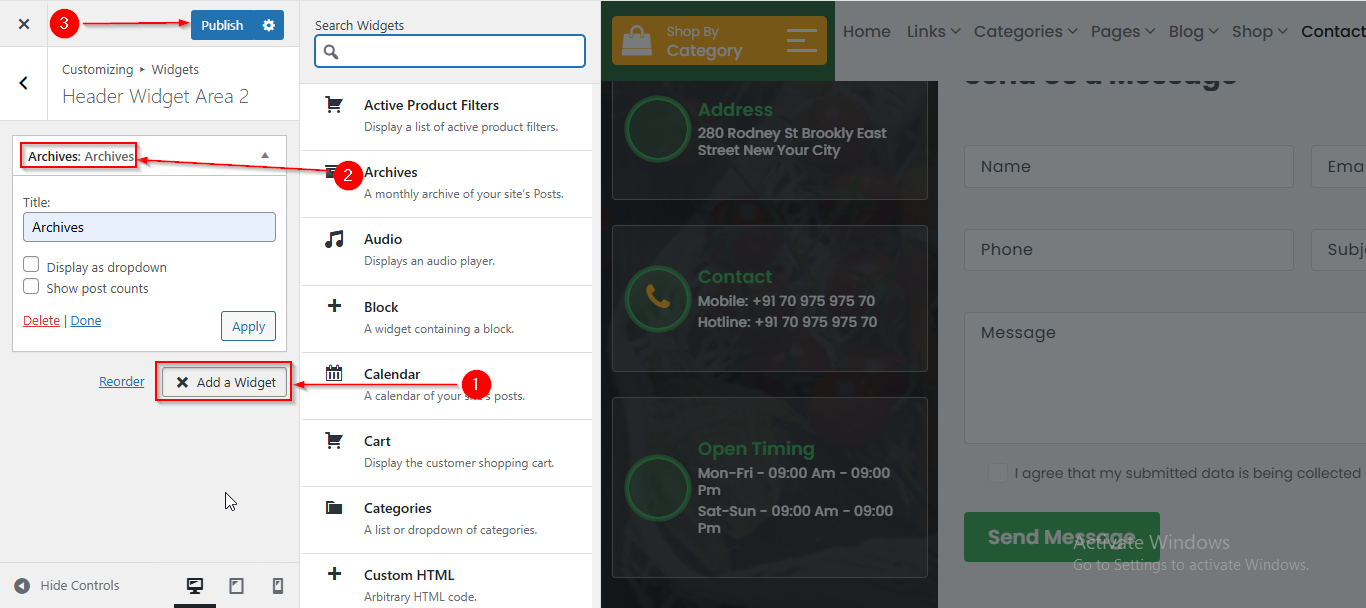
- After reaching here click on Add a Widget button.
- A sidebar will appear, allowing you to select a widget of your choice by clicking on it.
- Click Publish when you're done.
Note: When adding Widgets from the Customizer, you may not see all available widget areas, such as the Sidebar Widget Area, WooCommerce Widget Area, and others. To access all widget areas, we recommend adding widgets directly from the Dashboard for a complete list of options.
Please note that this article only covers the essential aspects of managing widgets of our theme. For a more detailed guide on WordPress widgets, please refer to this article: https://wordpress.org/documentation/article/manage-wordpress-widgets/