Mega Mart Lite General Setup
In this article, you’ll learn how to set up and customize the Top Scoller , Sidebar and Page Breadcrumb of the Mega Mart Lite theme, This guide will help you configure these settings to align with your site’s branding and functionality needs.
(1) How to manage the Top Scroller in General?
Before proceeding, ensure you're logged into your WordPress Dashboard.
To manage the Top Scroller in General, follow these steps:
- From the WordPress Dashboard, navigate to Appearance > Customize.
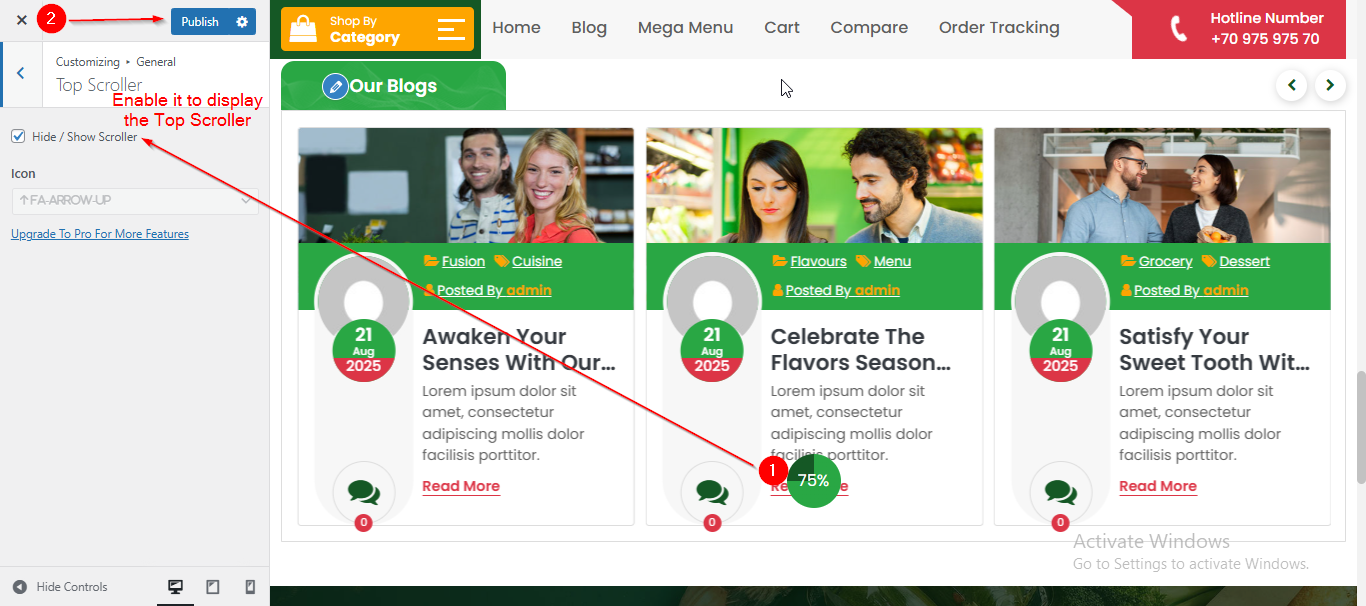
- On the Customizer page, go to General > Top Scroller.
- Here, you can manage the Top Scroller by enabling or disabling the Hide/Show Scroller option.
- Click Publish when you’re done.
(2) How to manage the Sidebar in General?
Before proceeding, ensure you're logged into your WordPress Dashboard.
To manage the Sidebar in General, follow these steps:
- From the WordPress Dashboard, navigate to Appearance > Customize.
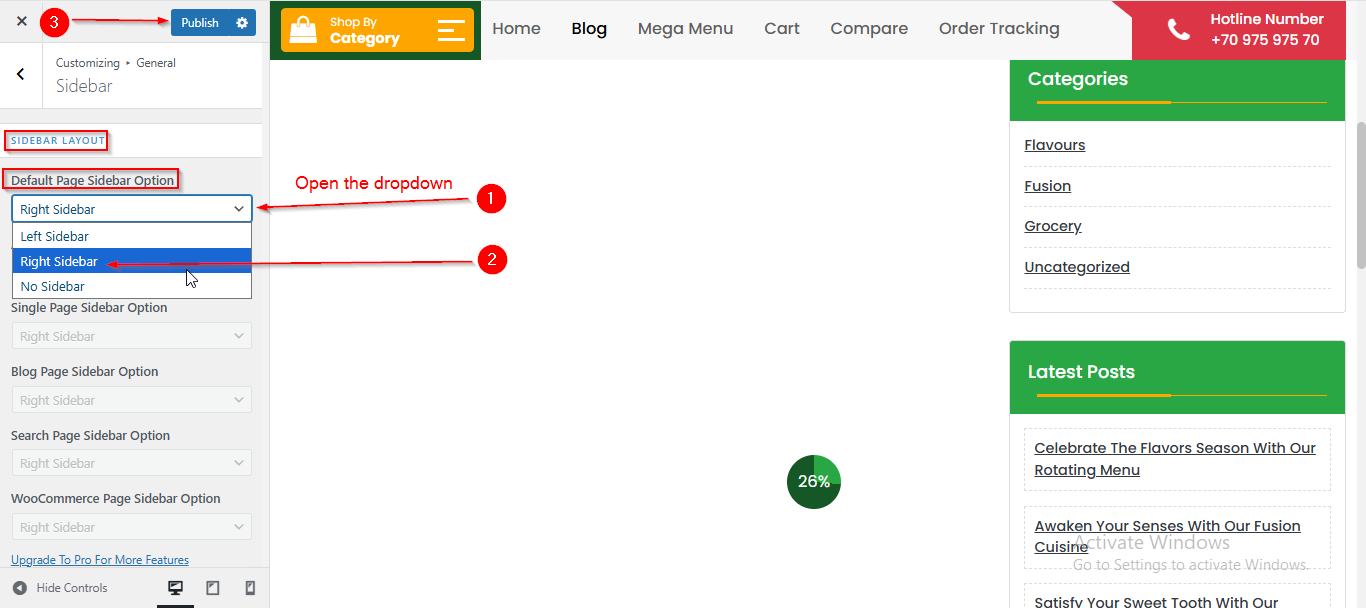
- On the Customizer page, go to General > Sidebar.
- Open the Default Page Sidebar Option dropdown.
- Select your preferred Option from the Dropdown.
- Click Publish when you’re done.
(3) How to manage the Sidebar Width and Widget Font Size in General?
Before proceeding, ensure you're logged into your WordPress Dashboard.
To manage the Sidebar Width and Widget Font Size in General, follow these steps:
- From the WordPress Dashboard, navigate to Appearance > Customize.
- On the Customizer page, go to General > Sidebar.
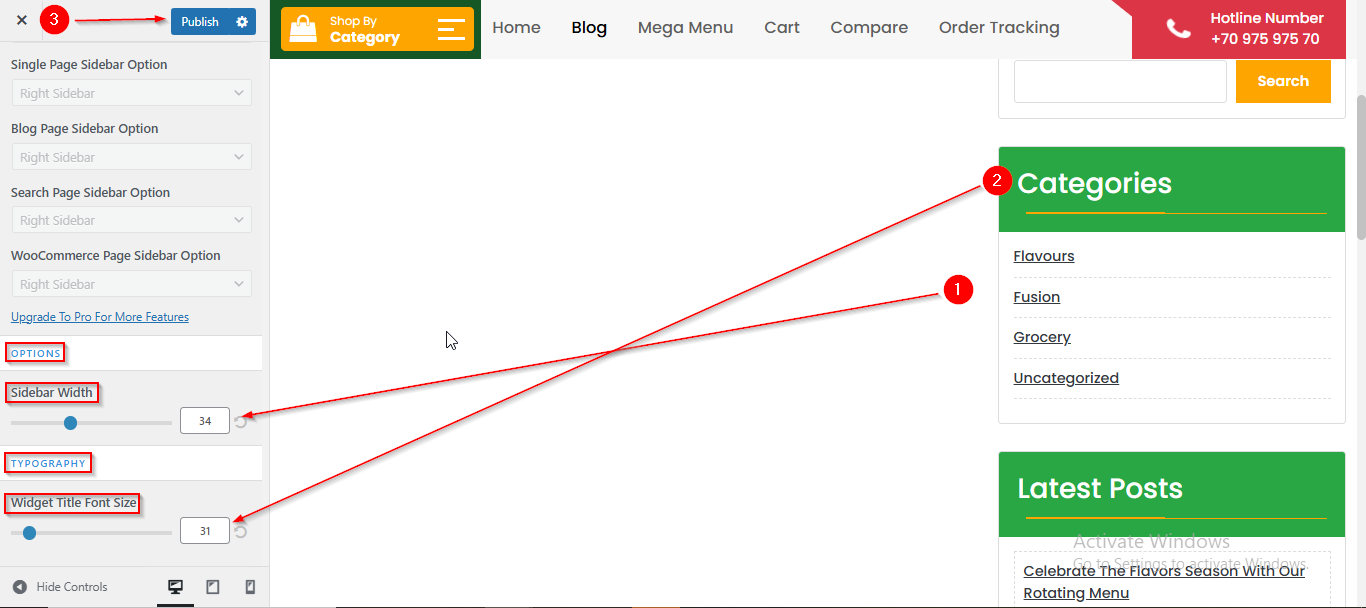
- Scroll down until you see the OPTIONS.
- From here you can set the Sidebar Width using the Slider.
- In the TYPOGRAPHY option , you can manage the Font Size using the Slider.
- Click Publish when you’re done.
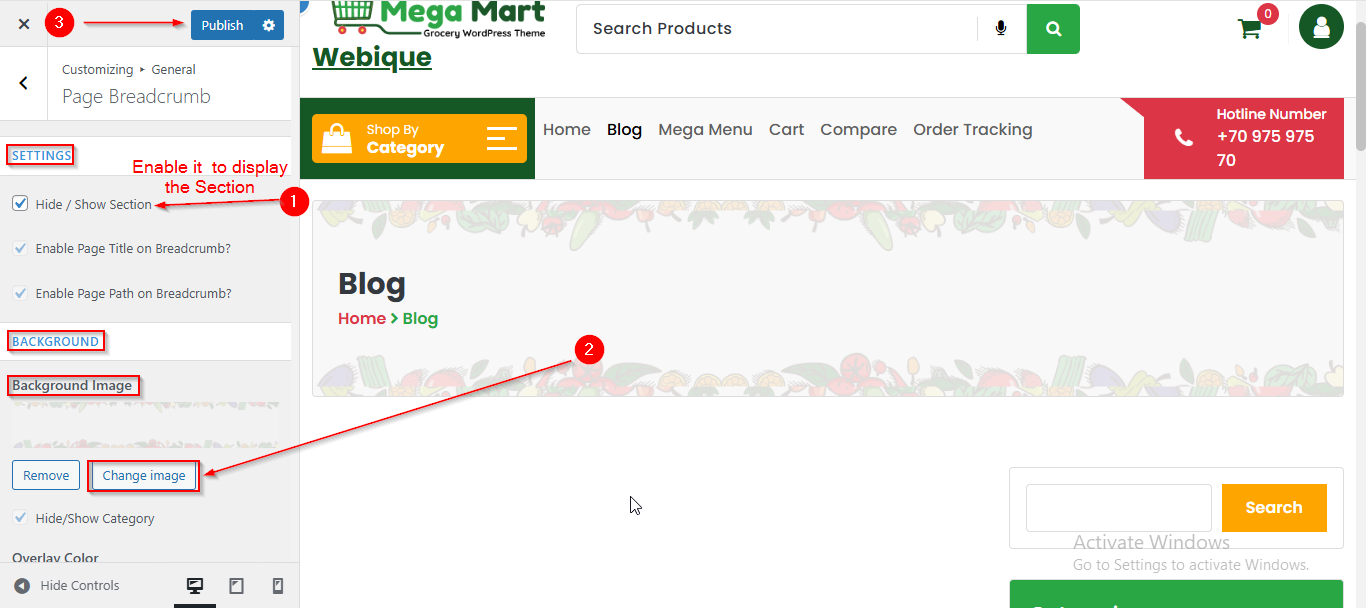
(4) How to manage the Page Breadcrumb in General ?
Before proceeding, ensure you're logged into your WordPress Dashboard.
To manage the Page Breadcrumb in General, follow these steps:
- From the WordPress Dashboard, navigate to Appearance > Customize.
- On the Customizer page, go to General > Page Breadcrumb.
- Enable the checkbox labeled Hide/Show Section is checked if you want to display the Section.
- From the BACKGROUND option , you can set the Background Image.
- Click Publish when you’re done.