Pet Bazaar Pro Child Theme Setup
In this article, you’ll learn how to set up and customize the Child Theme of the Pet Bazaar Pro theme, This guide will help you configure these settings to align with your site’s branding and functionality needs.
What is a Child Theme ?
A Child Theme is a WordPress theme that inherits its design, features, and functionalities from a parent theme. It allows you to make modifications without affecting the main (parent) theme, ensuring your changes are safe from updates.
In our Pet Bazaar Pro theme, there are two Child Themes: Paw Bazaar and Pet Store. Below, we will understand the difference between Paw Bazaar and Pet Store.
Differences Between Paw Bazaar and Pet Store
The Paw Bazaar and Pet Store child themes differ mainly in design, color schemes, and some sections. Both offer a unique style but are built on the same foundation of Pet Bazaar Pro. You’ll notice changes in homepage layouts, color options, and section arrangements, allowing you to choose the one that best fits your site’s branding.
Now that we’ve covered the differences between Paw Bazaar and Pet Store, let’s see how to set up both themes.
(1) How to Setup Paw Bazaar Theme ?
Setting up the Paw Bazaar theme in Pet Bazaar Pro is simple since the primary differences lie in the Homepage Template and Color Scheme. Let’s walk through these steps:
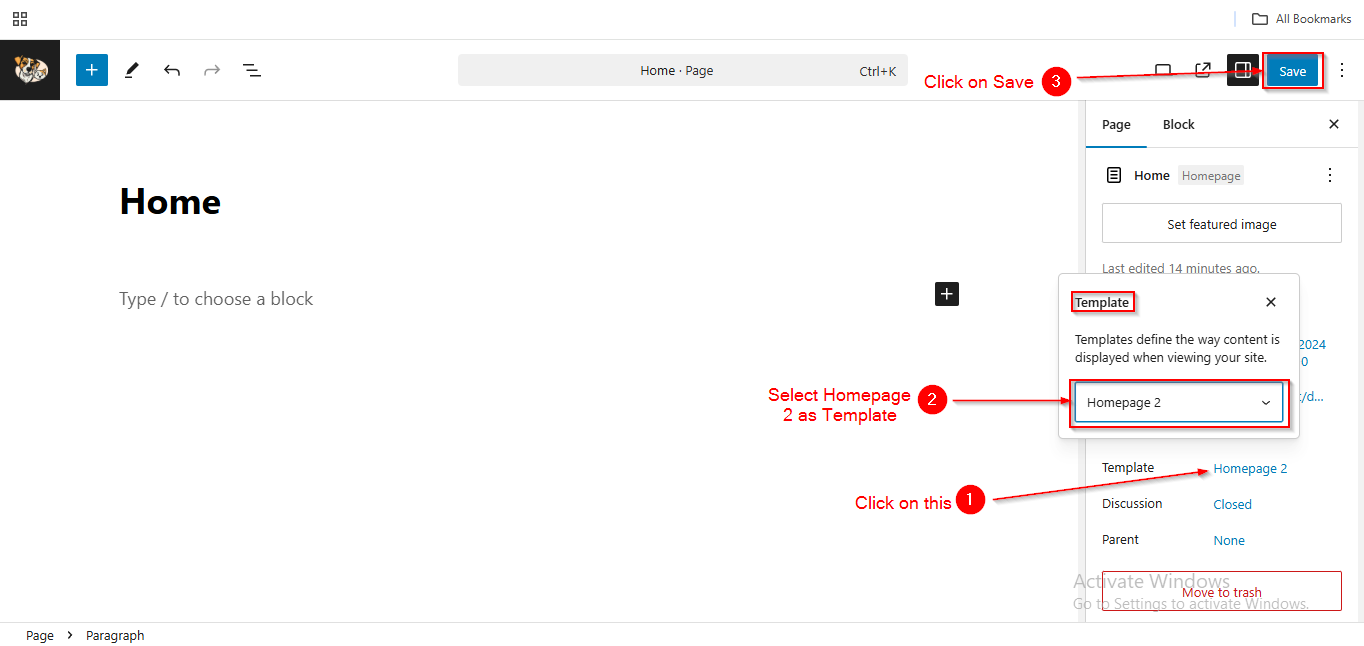
Setting Up the Homepage Template
Before proceeding, ensure you're logged into your WordPress Dashboard.
To Setup the Homepage Template, follow these steps:
- From the WordPress Dashboard, navigate to Pages > All Pages.
- Locate your Homepage or Front Page from the list of pages.
- Click on Edit to Quick Edit (or use Quick Edit for faster changes) .
- In the Template dropdown menu, select Homepage 2.
- Click Save when you're done.
Setting Up Theme Color
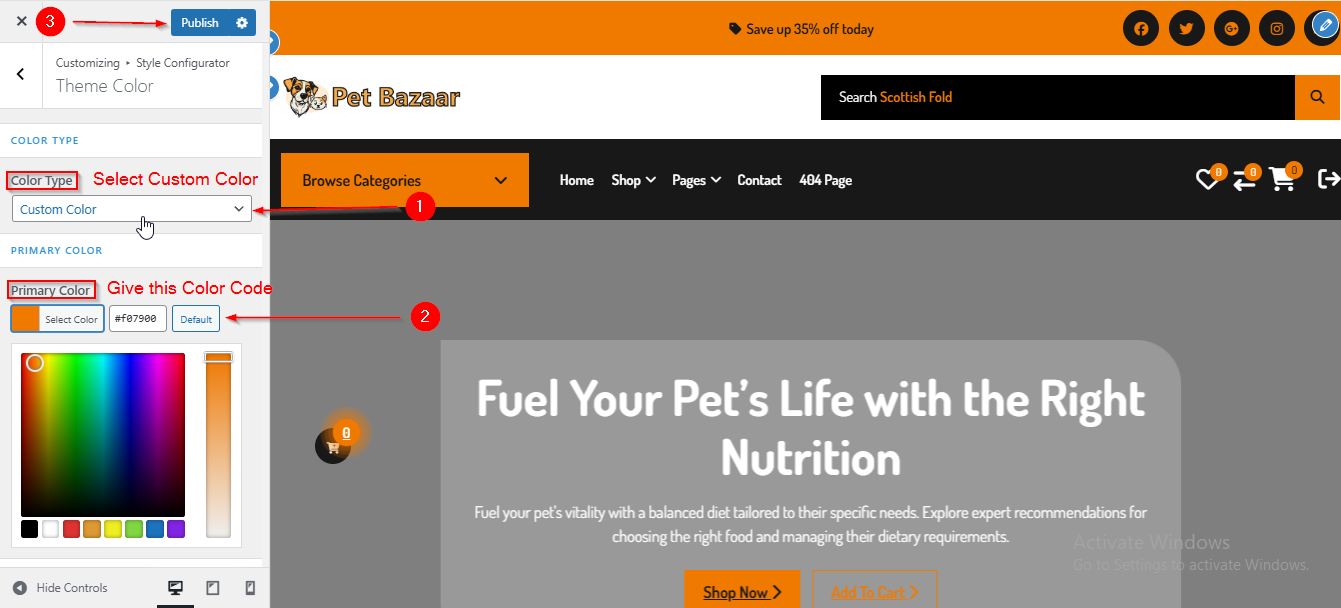
To Setup the Theme Color , follow these steps:
- From the WordPress Dashboard, navigate to Appearance > Customize.
- On the Customizer page, go to Style Configurator > Theme Color.
- Under Color Type, select Custom Color.
- In the Primary Color section, enter the color code as #f07900.
- Click Publish when you're done.
(2) How to Setup Pet Store Bazaar Theme ?
Setting up the Pet Store theme in Pet Bazaar Pro is simple since the primary differences lie in the Homepage Template and Color Scheme. Let’s walk through these steps:
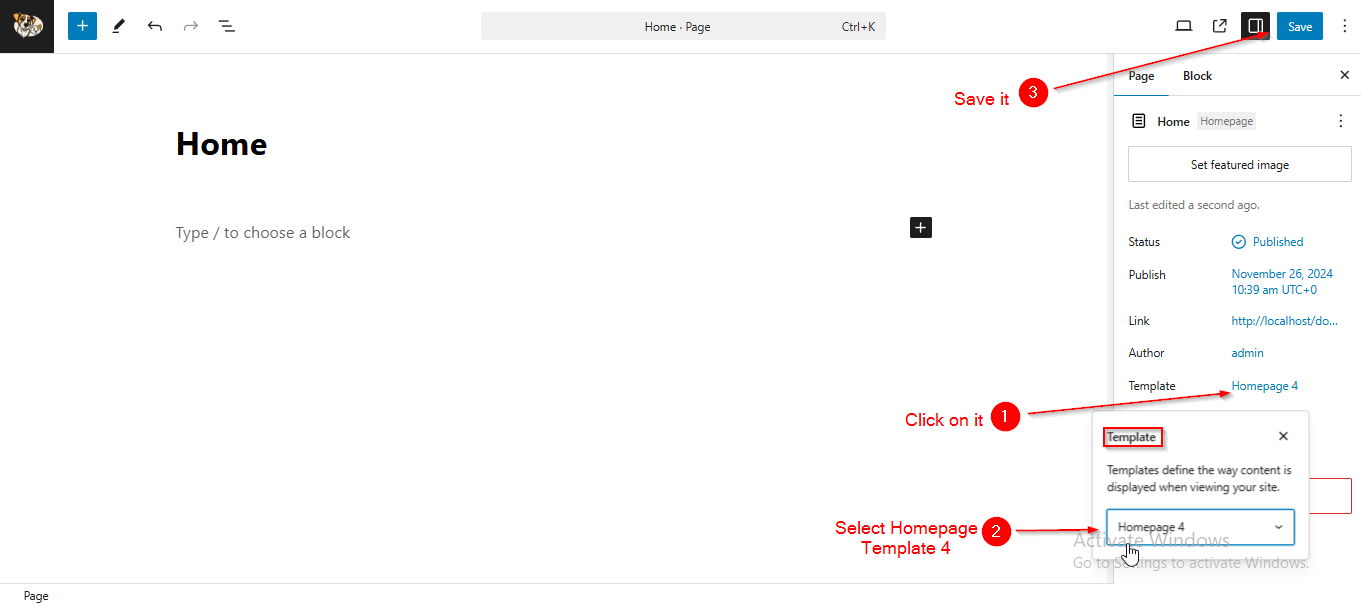
Setting Up the Homepage Template
Before proceeding, ensure you're logged into your WordPress Dashboard.
To Setup the Homepage Template, follow these steps:
- From the WordPress Dashboard, navigate to Pages > All Pages.
- Locate your Homepage or Front Page from the list of pages.
- Click on Edit to Quick Edit (or use Quick Edit for faster changes) .
- In the Template dropdown menu, select Homepage 4.
- Click Save when you're done.
Setting Up Theme Color
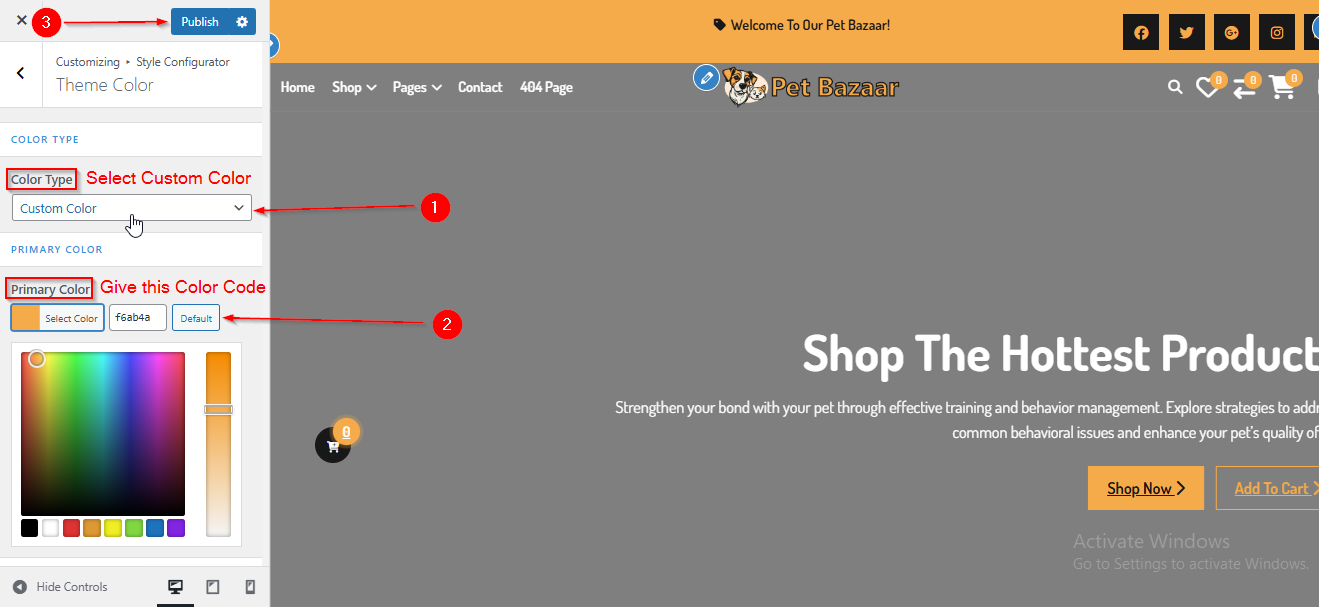
To Setup the Theme Color , follow these steps:
- From the WordPress Dashboard, navigate to Appearance > Customize.
- On the Customizer page, go to Style Configurator > Theme Color.
- Under Color Type, select Custom Color.
- In the Primary Color section, enter the color code as #f6ab4a.
- Click Publish when you're done.