Pet Bazaar Pro FAQ Page Setup
In this article, you’ll learn how to set up and customize the FAQ Page of the Pet Bazaar Pro theme, This guide will help you configure these settings to align with your site’s branding and functionality needs.
(1) How to create a FAQ from Dashboard ?
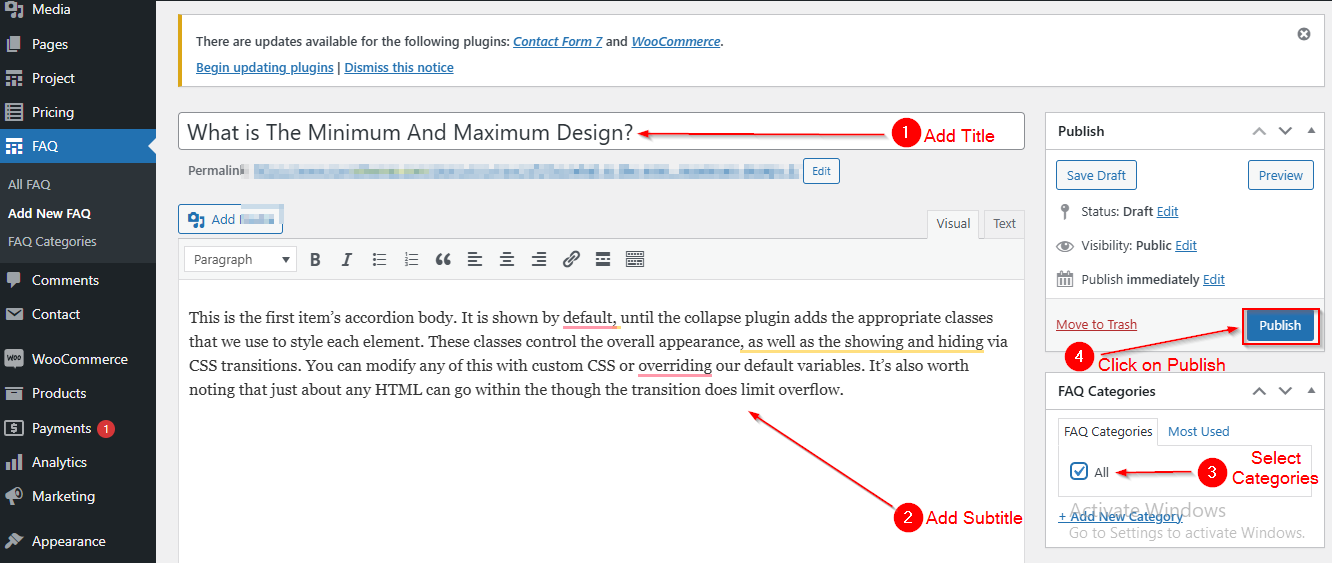
Before managing FAQs in the Customizer, you'll need to first create FAQs in the Dashboard. Follow these steps to add new FAQs:
- Ensure you're logged into your WordPress Dashboard.
- Navigate to FAQ > Add New FAQ.
- On the Add New FAQ page, you can:
- Add a Title for your FAQ.
- Enter the Description (the content of the FAQ).
- Organize your FAQs by assigning Categories.
- Once you've filled out the necessary information, click Publish.
(2) How to manage the Section Title , Subtitle and Table Title in FAQ Section ?
Before proceeding, ensure you're logged into your WordPress Dashboard.
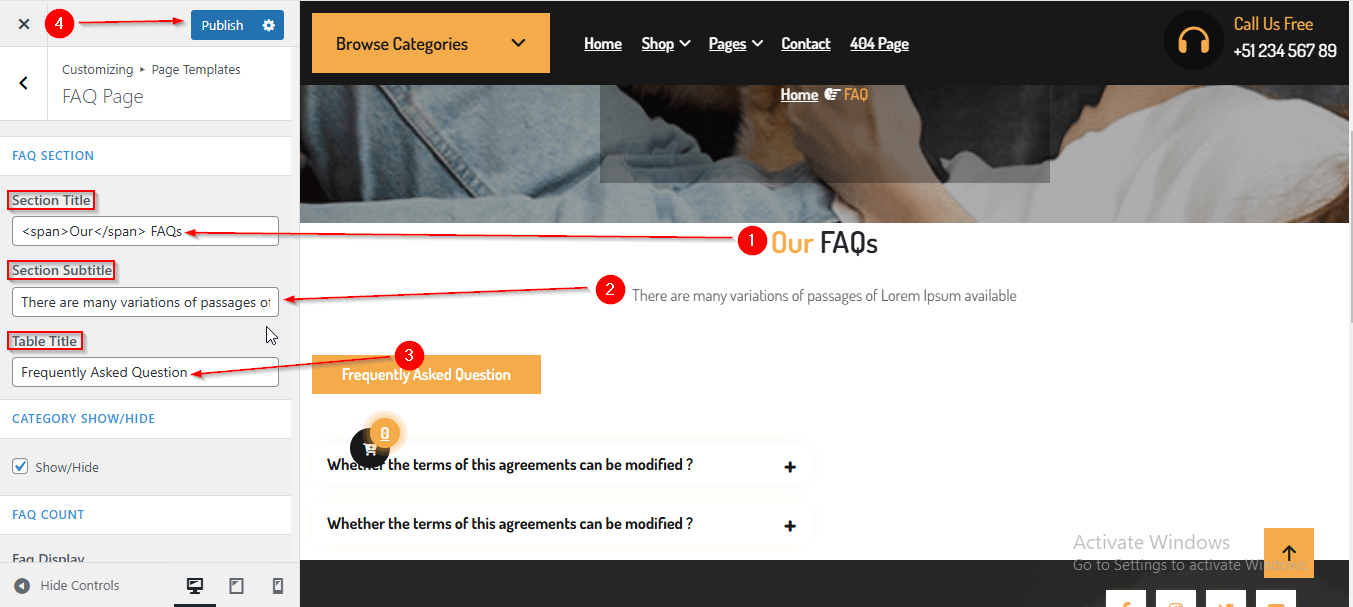
To manage the Section Title , Subtitle and Table Title in FAQ Section, follow these steps:
- From the WordPress Dashboard, navigate to Appearance > Customize.
- On the Customizer page, go to Page Templates > FAQ Page.
- Here, you can manage the Section Title , Subtitle and Table Title.
- Click Publish when you're done.
(3) How to manage the Category Filter Tab and Faq Count in FAQ Section ?
Before proceeding, ensure you're logged into your WordPress Dashboard.
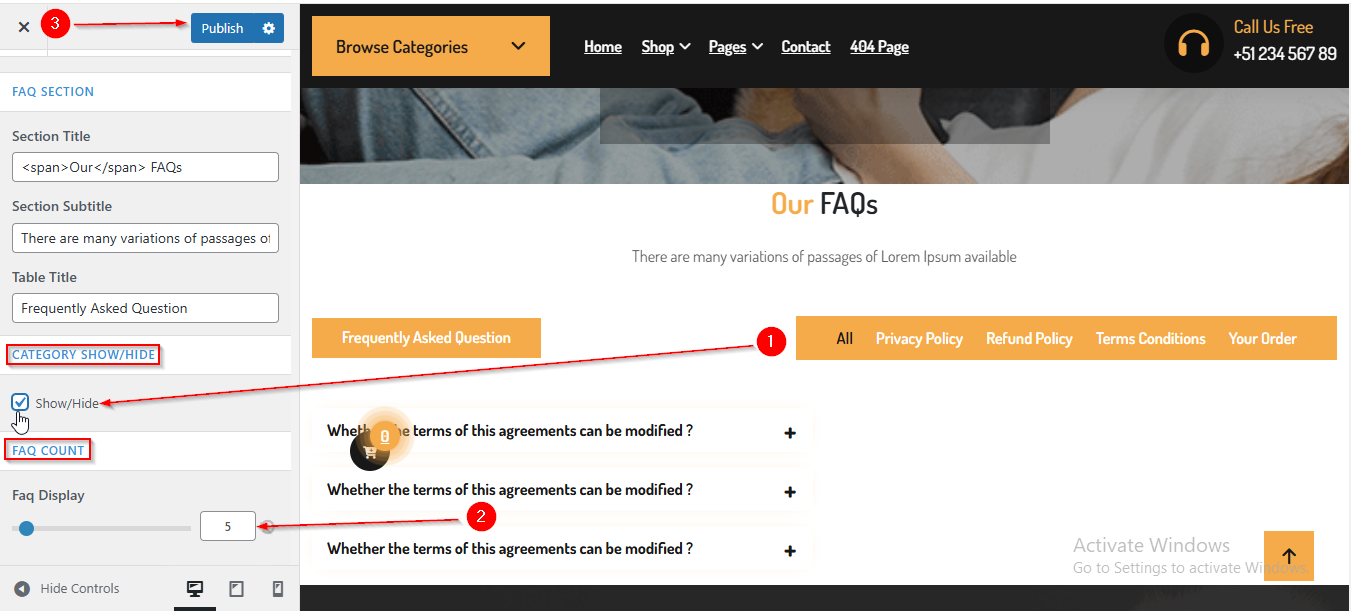
To manage the Category Hide/Show and Faq Count in FAQ Section, follow these steps:
- From the WordPress Dashboard, navigate to Appearance > Customize.
- On the Customizer page, go to Page Templates > FAQ Page.
- Here, from the CATEGORY SHOW/HIDE option, you can manage the Category Filter Tab by enabling or disabling the checkbox.
- From the FAQ COUNT option, you can manage the number of FAQs displayed.
- Click Publish when you're done.